Profiles & your data
How per-profile isolation works, what stays local, and how permissions behave.
Every profile is its own world
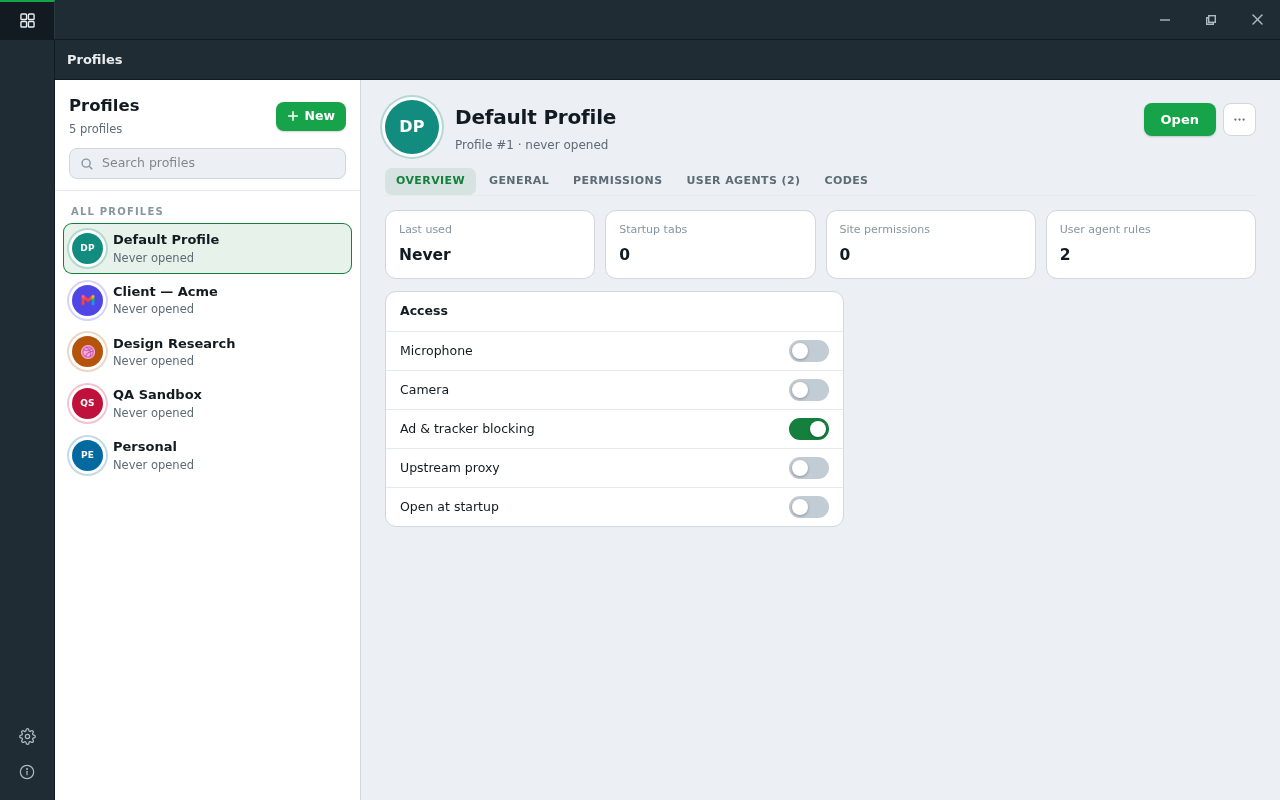
public/docs-img/user-guide/profiles-manager.pngCookies, sessions, history, favorites, downloads, saved passwords, 2FA codes, site permissions, ad-block state, settings — all of it is per profile.
Switching profiles switches worlds, not just a cookie jar: your work identity and your personal life never touch.
Being logged into the same site as two different accounts in two profiles is the normal case here, not a trick.
What makes this different
Isolated profiles are not new — other browsers have them. What none of them do is put every profile in one window, all reachable at once.
Elsewhere, isolation costs you access: separate profiles mean separate windows to alt-tab between, and the lighter-weight "containers" that do live in one window share the browser underneath — one settings surface, one set of extensions, one password store.
Connect+ refuses that trade. Each profile is a fully sealed world and a tab in the same window: move between work, personal and a client account the way you move between pages — no window juggling, no signing in again, nothing quietly shared behind them.
What a profile can set for itself
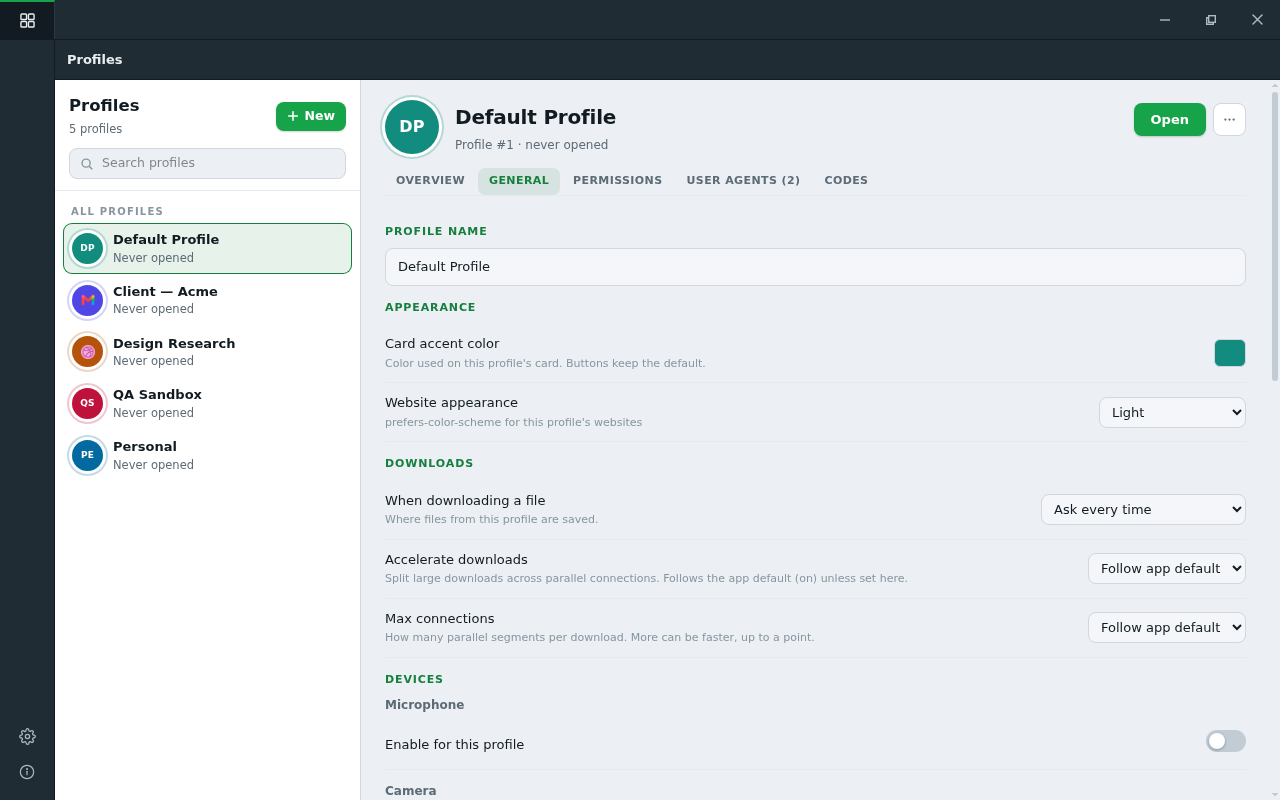
public/docs-img/user-guide/profile-settings.png- Accent color — tell profiles apart at a glance.
- Search engine — override the global choice (details).
- User agent — a global default, plus per-site overrides.
- Page color scheme — follow the app theme, the OS, or force light/dark.
- Downloads — where files go (details).
- History — pause recording entirely for this profile.
- Startup — open automatically when the app starts, with its own tab set.
- Proxy — route this profile (and only this profile) through a proxy.
Blocking, per profile
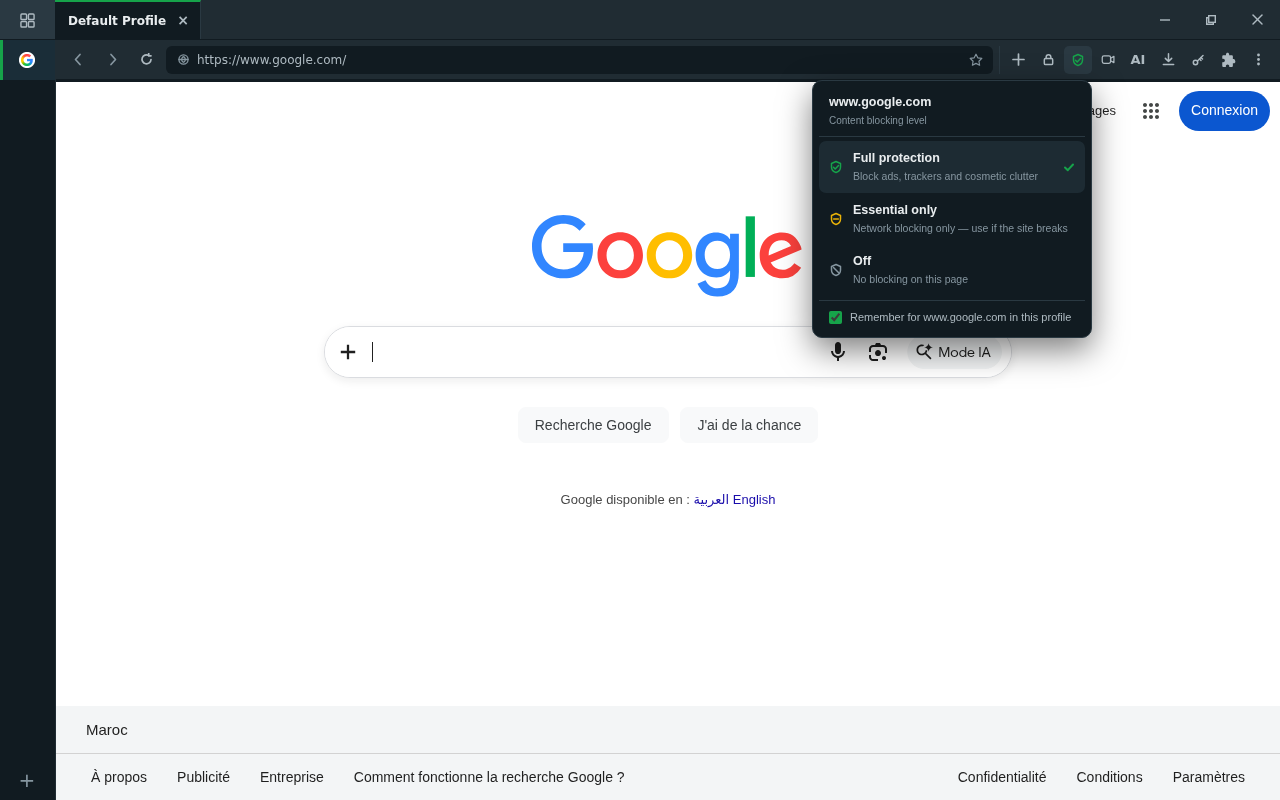
public/docs-img/user-guide/shield.pngThe ad & tracker blocker runs EasyList/uBO filter lists inside the engine — not as an extension that can be fingerprinted or silently disabled. Each profile has a master switch, and each site can be tuned from the toolbar shield:
| Tier | What it does |
|---|---|
| Full | Network blocking + cosmetic filtering (default) |
| Essential | Network blocking only — for sites that break under cosmetic rules |
| Off | No blocking on this site |
Camera & microphone
Sites must ask before using your camera and microphone, and the permission is remembered per profile, per site. Review or revoke grants anytime from the permission pane — changes apply immediately (affected tabs reload).
Your secrets stay local
Saved passwords and TOTP 2FA codes are encrypted on your device with OS-backed encryption. None of it is uploaded or synced, and there is no telemetry — we never see what you browse. See passwords & codes.
Your backer account is a separate thing from your data: it exists to prove your licence. The app checks it when you activate and re-checks it periodically, which is what stops one build being passed around. That check carries your licence and nothing else.