Search & browsing
The omnibox, choosing a search engine (global, per profile, or custom), and everyday driving.
The omnibox
One bar does everything. Type into it and Connect+ decides sensibly:
- A URL or host (
example.com) → navigates there. - Anything else → searches with your engine.
Ctrl+Enterwraps a word intohttps://<word>.com.
As you type, suggestions rank your bookmarks first, then history, with a search fallback at the end — all from the current profile only. Another profile's history never appears.
Choose your search engine
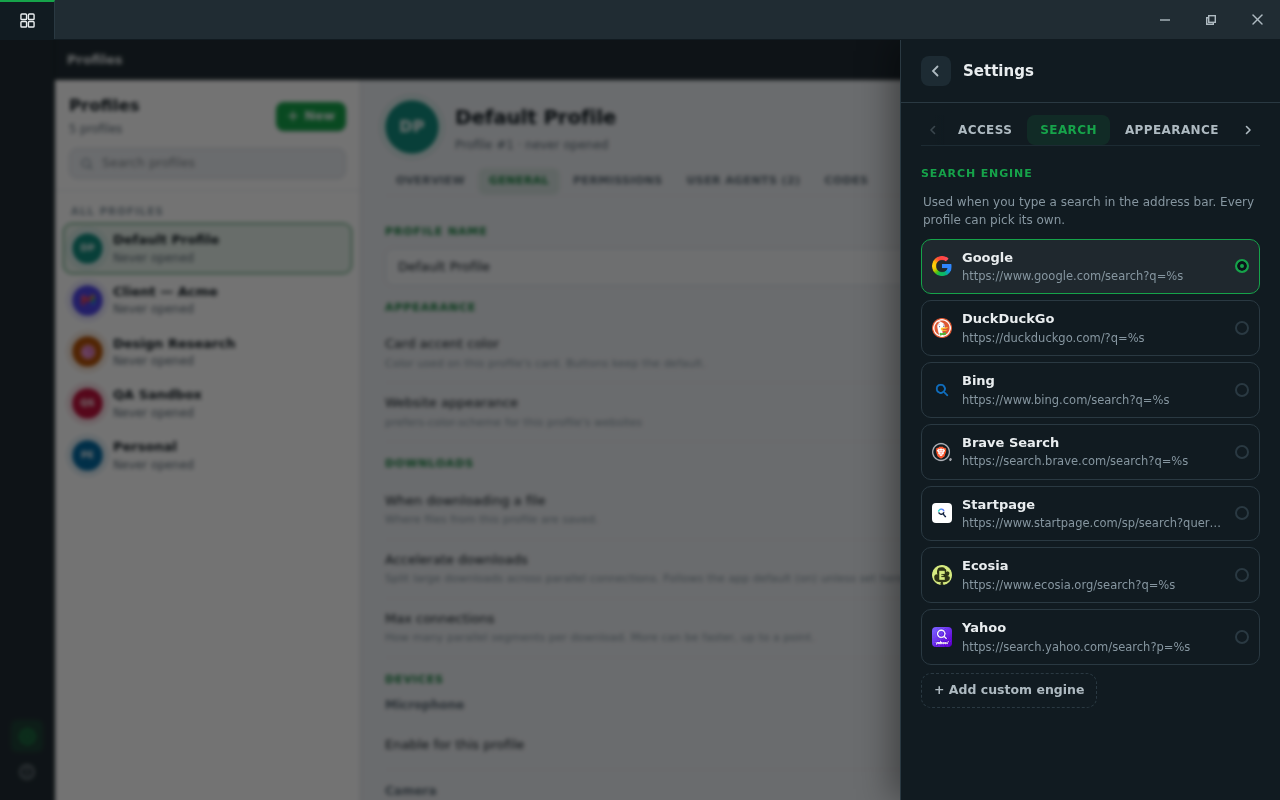
public/docs-img/user-guide/search-engines.pngSettings → Search holds the global choice; every profile can override it in its own settings panel (with a "Use global default" row showing what that currently is). Prefilled: Google, DuckDuckGo, Bing, Brave Search, Startpage, Ecosia, Yahoo.
Custom engines
Any engine that accepts a query in its URL works. Choose Add custom engine
and enter the search URL with %s where the terms go:
https://example.com/search?q=%sCustom engines join the shared list (with the site's favicon) and can be chosen globally or per profile. A fresh tab opens on your engine's homepage.
Everyday driving
- Session restore — every profile reopens exactly where it left off.
- Tabs — drag to reorder; standard shortcuts (
Ctrl+T,Ctrl+W,Ctrl+Tab,Ctrl+1..9). - Find in page —
Ctrl+F; zoom per tab (Ctrl+/-/0). - DevTools —
F12, per tab. - HTTP auth, certificate and network errors — honest, readable pages; per-site certificate decisions are kept in memory only, never persisted.
- Favorites & history — per profile, with folders for favorites.
- Languages — the interface speaks English, French, and Spanish (Settings → Appearance → Language).